Projects & Assets
Managing projects and assets from the Board Game Builder main page.
Projects & Assets
The Board Game Builder main page is where you manage all your projects and assets before opening the template editor.
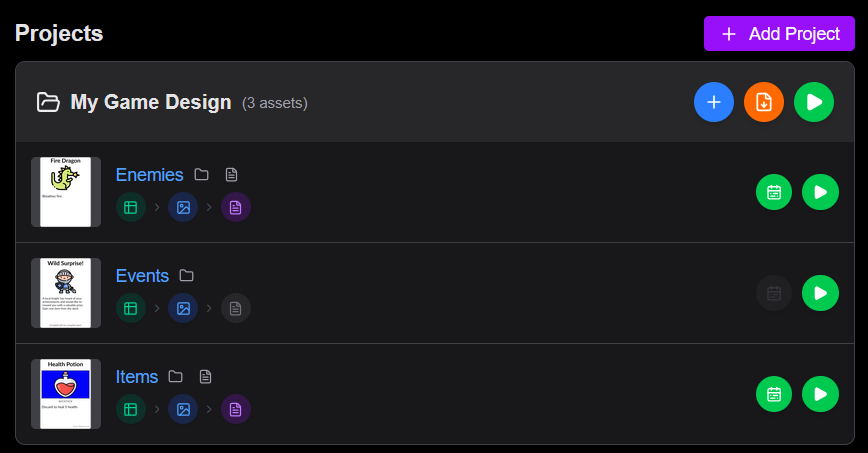
Projects
A project groups together assets that can be made to all render into images and PDFs simultaneously. You can even create a single PDF with all assets combined (page button).
Assets
Assets specific board game cards, reference sheets, die faces, tokens etc. Each having a specific physical dimension in millimeters.
Each asset may have:
- Template specifying how game data is rendered to card images.
- A spreadsheet or CSV source of game data.
- A PDF configuration customizing how images should be layouted into a printable PDF.
Rendering
Click Render on a project or asset to generate images and PDF files. Progress is shown in the progress log.
Changes to data, templates and PDF configuration is automatically detected and only the necessary files are generated.
Related
References
How to reference data, element properties, constants, ancestor properties, and lookup tables in Board Game Builder allowing the templates to react to the data in complex ways.
The Template Editor
An overview of the Board Game Builder template editor — the sidebar tree, property panel, preview, and toolbar.