References
How to reference data, element properties, constants, ancestor properties, and lookup tables in Board Game Builder allowing the templates to react to the data in complex ways.
References
Board Game Builder uses a double-brace {{ }} reference syntax to bind template elements to live data and other properties. There are four types of references, each with its own syntax and scope.
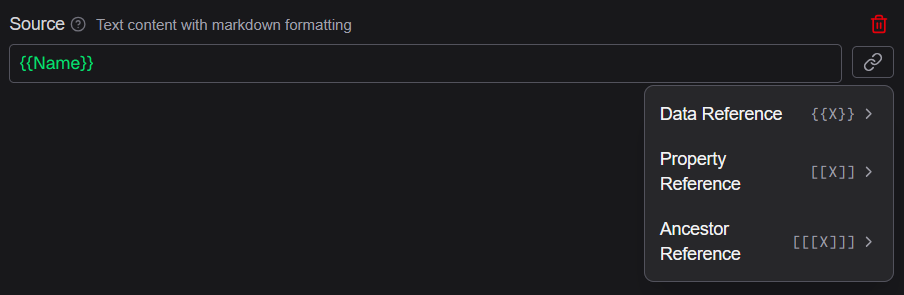
Data references — {{ColumnName}}
A data reference pulls a value from the current row of your spreadsheet. Column names come from the header row (row 1).
Source: "{{CardName}}"
Source: "{{First}} {{Last}}"
You can also provide a default value for when the column is empty:
Source: "{{CardName=Unnamed}}"Property references — [[PropertyName]]
A property reference reads the value of another property on the same element. This lets one property dynamically affect another.
Source: "{{SpecialPower}}"
Condition: "[[Source]]"
Property references are resolved after data references, so [[Source]] would read the already-substituted value of the Source property.
Constant references — [[ConstantName]]
Constants are referenced in the same way as properties, but evaluated first when searching for a match. They are defined at the template Root and allow for using a specific value throughout the template.
See Constants for more details on how to define constants.
Ancestor property references — [[[PropertyName]]]
An ancestor property reference reads a property from a parent element further up the tree. This is useful for sharing configuration within the template. If multiple ancestors have the same property the reference will get that of the closest ancestor.
FontSize: "[[[FontSize]]]"Lookup references — {{{LookupName:KeyColumn=KeyValue:TargetColumn}}}
A lookup reference queries another Lookup table. Lookups allow you to enrich card data with values from a second spreadsheet.
Source: "{{{Powers:Name={{SpecialPower}}:Description}}}"This reads the Description column from the Powers lookup where Name equals the current card's SpecialPower.
You can provide a default value that is used when no matching row is found:
Source: "{{{Powers:Name={{SpecialPower}}:Description=Unknown power}}}"See Lookups for more details on how to define lookup tables.
References in references
References can even be inside other references. These are resolved from the inner-most and then out. For example, use a data reference inside a lookup reference to make the key value dynamic:
Color: "[[Color{{Level}}]]"This first finds the {{Level}} data reference and uses that value to look for another property (or constant) and then combines it with the rest before finding the right property or constant. If the current {{Level}} is 1 then the property reference to be considered would be [Color1].
Reference colors in the editor
The reference input field highlights each reference type in a distinct color to help you spot issues at a glance:
| Color | Type |
|---|---|
| Green | Data reference {{...}} |
| Blue | Property reference [[...]] |
| Purple | Ancestor reference [[[...]]] |
| Orange | Lookup reference {{{...}}} |
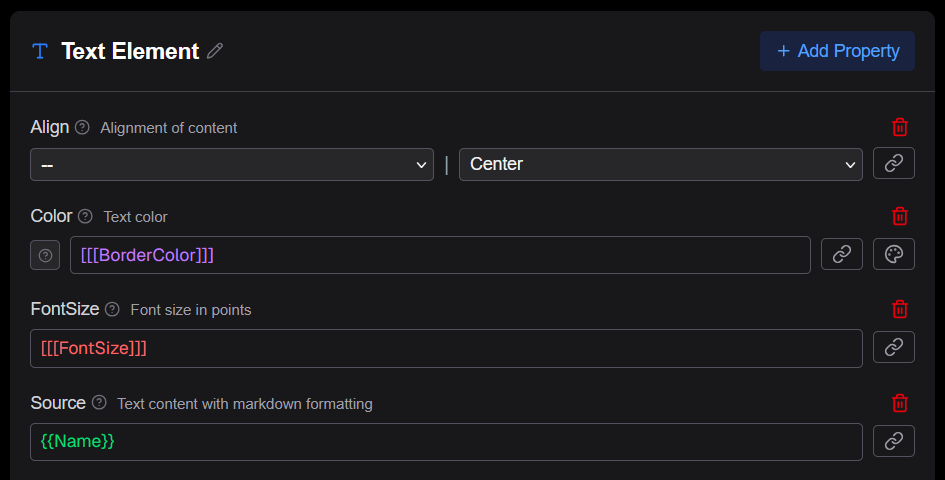
A reference is shown as red when guaranteed invalid. This can be a data reference for a column that does not exist, a property reference to a property not on the current element, etc.